




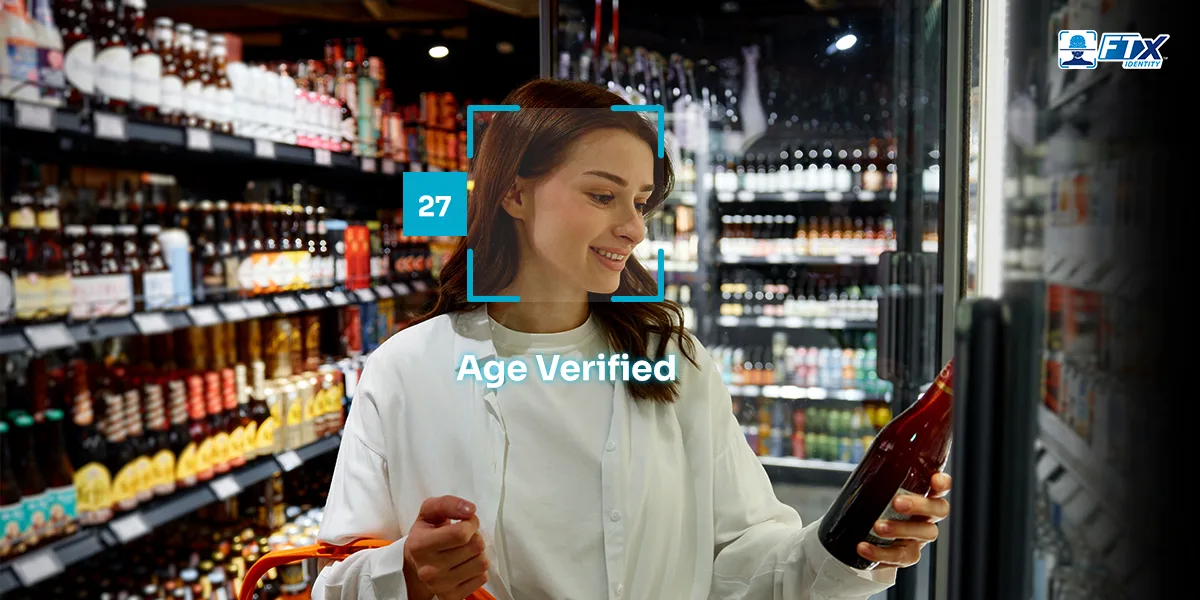
Every day, convenience stores handle millions of age-restricted purchases—from tobacco and vape products to alcohol and lottery tickets. With customers coming in and out quickly, employees need to verify ages without bringing the checkout line to a standstill.
When age verification falls entirely on the employee, checking IDs and determining whether customers meet age requirements can slow down an already fast-paced checkout. An age verification scanner can help, but the right solution should do more than read a driver’s license—it should fit the store’s workflow and help employees verify customers quickly and consistently.
In this guide, we’ll compare leading ID verification solutions based on what matters most for gas stations and convenience stores, including speed, POS integration, fake ID detection, reporting, and multi-location management.
Why Convenience Stores and Gas Stations Need an Age Verification ID Scanner
Age verification is already part of everyday retail for many convenience stores and gas stations. The challenge is making those checks consistent without creating unnecessary friction for employees or customers.
High Foot Traffic and Fast Transactions
Convenience stores are designed for speed. Customers may be stopping in for a single item, picking something up while paying for fuel, or making a quick purchase during a busy rush.
Adding a manual ID check to every age-restricted transaction can slow things down, particularly when employees have to visually inspect an ID, calculate a customer’s age, and decide whether the document appears legitimate.
An age verification ID scanner can automate much of that process while giving employees a more consistent way to handle age-restricted purchases.
Young or Rotating Staff and Late-Night Shifts
Convenience stores often operate around the clock, and employees may vary from shift to shift. A store needs an age verification process that isn’t dependent on one particularly experienced cashier knowing exactly what to look for.
That’s especially important during late-night shifts or when employees are working alone. A standardized verification process can give staff more guidance and reduce the chance of an inconsistent ID check.
Multiple Age Thresholds and State Requirements
Not every age-restricted product follows the same rules. Stores may need to verify customers purchasing tobacco, vape products, alcohol, lottery products, or other regulated goods.
Age requirements can also vary depending on the product and applicable state or local regulations. A solution should do more than simply read the date of birth printed on an ID. It should support the store’s actual verification workflow.
guide to age verification for tobacco and cigar shops.
The Cost of a Failed Check
An incorrect age check can create more than an awkward conversation at the register. Depending on the circumstances and applicable laws, selling age-restricted products to an underage customer can result in fines, licensing consequences, and other compliance concerns.
For employees, there’s also the pressure of making the right call quickly.
The right ID verification solution doesn’t eliminate an employee’s responsibility, but it can give them better tools to make consistent verification decisions.
With so many age-restricted products being sold under one roof, employees need a consistent way to handle age-restricted transactions without slowing down the checkout process.
What Gas Stations and Convenience Stores Should Look for in an ID Scanner
An ID scanner should do more than simply read a driver’s license. For a busy convenience store or gas station, the right solution should fit the way employees actually work and make age verification easier to manage.

1. Fast Age Verification at Checkout
Speed matters. Employees shouldn’t have to navigate several screens or wait through a lengthy process every time a customer purchases an age-restricted product.
Look for a solution that can quickly capture the necessary information and return a clear verification result without disrupting the checkout experience.
2. Reliable Driver’s License Scanning
A driver’s license contains information that can be used to help verify a customer’s identity and age. An age verification scanner should reliably capture that information without requiring employees to manually enter a customer’s date of birth.
However, scanning alone shouldn’t be treated as the entire verification process. Reading information from an ID is one step; determining whether the person presenting it is actually the legitimate ID holder is another.
3. Fake ID Detection
A barcode can tell a system what’s encoded on an ID. It doesn’t necessarily tell you whether the person presenting that ID is the person it belongs to.
That’s why fake ID detection and identity verification capabilities can be important considerations for businesses selling age-restricted products. The more comprehensive the verification process, the less a store has to rely solely on visual inspection and barcode data.
4. Automatic Age Calculation
Employees shouldn’t have to do math at the register.
An age verification system should automatically calculate whether a customer meets the applicable age requirement based on the date of birth captured during verification. This can help eliminate simple calculation mistakes and make the process easier for employees.
5. POS Integration
An ID scanner that operates completely separately from the point-of-sale system can create another step for employees.
Point-of-sale (POS) integration can make age verification part of the transaction workflow rather than something employees have to remember to do separately. Ideally, the verification process should fit naturally into how the store already handles sales.
6. Privacy and Data Controls
Identity verification involves sensitive information, so stores should understand what information a solution collects, how it is protected, how long it is retained, and who can access it.
A solution should provide appropriate data controls and security measures while giving the business visibility into verification activity.
7. Multi-Store Management
Managing one convenience store is different from managing 10, 50, or 500.
For multi-location operators, centralized management can make it easier to monitor verification activity, manage settings, and maintain consistent processes across stores.

8. Audit Logs and Compliance Reports
When questions arise about a verification or transaction, businesses may need a record of what happened.
Audit logs and reporting can give operators greater visibility into verification activity and help them identify patterns or investigate potential issues.
9. Easy Customer Onboarding
FTx Identity makes customer onboarding simple through a dedicated link, app, or directly from checkout. Employees can send a verification link from the POS by text or email, allowing customers to complete the process on their own device.
Once verified, customers can be quickly reverified on future visits using facial recognition, a QR code, or a one-time password (OTP).
Exploring age verification beyond the checkout? Learn more about age verification for vending machines and how it can support self-service sales of age-restricted products.
Age Verification Scanner Comparison for C-Stores and Gas Stations
When comparing solutions, it’s helpful to look at more than whether each provider can scan an ID. The differences become clearer when you consider how each solution fits into a convenience store’s broader retail and verification workflow.
| Feature | IDScan.net | Patronscan | FTx Identity |
|---|---|---|---|
| Fake ID detection | ✅ | ✅ | ✅ |
| POS integration | ✅ | Limited | ✅ |
| Built for c-store / gas station use case | Partial | ✅ | ✅ |
| Fast setup and staff training | Partial | ✅ | ✅ |
| Multi-category age rules (tobacco, vape, alcohol, lottery) | Partial | Partial | ✅ |
| Online and offline mode | Varies | Varies | ✅ |
| Audit logs and compliance reports | Partial | Partial | ✅ |
| Multi-location dashboard | Partial | Partial | ✅ |
| Transparent pricing | Quote-based | Quote-based | ✅ |
| Support for small, independent stores | Partial | Partial | ✅ |
Best ID Scanners for Convenience Stores and Gas Stations
So, which ID scanner is the right fit for a busy gas station or convenience store? The best option should do more than scan an ID—it should fit your checkout workflow, support different age-restricted products, and help employees verify customers quickly and consistently.
best ID scanners offers a broader look at the options available.
Here’s a closer look at three leading solutions and what each one offers:
1. FTx Identity
Best for: Omnichannel convenience stores
Why It Stands Out:
- In-store and online verification with POS and retail system integration: Connect identity verification with existing retail systems and support customers across in-store, ecommerce, and pickup experiences.
- ID, selfie, QR code, and biometric verification: Give businesses multiple ways to verify customers based on the workflow and customer experience.
- Software development kit (SDK) and application programming interface (API) support: Connect FTx Identity with other business applications and custom systems.
- Mobile-based and AI-powered ID verification: Let customers complete verification from their mobile device while using technology designed to help verify their identity.
- Data extraction using optical character recognition (OCR): Extract information from identity documents to help streamline the verification process.
Best-Fit Use Cases:
- Gas stations and convenience stores
- Tobacco, vape, alcohol, and lottery sales
- In-store, ecommerce, and pickup workflows
Looking for ID scanning options for bars and venues? See our guide to the best ID scanners for bars for a closer look at solutions designed for those environments.
2. IDScan.net
Best for: Mobile ID scanning and watchlist-based visitor management
Key Features:
- Mobile ID scanning on iOS and Android: Scan IDs using mobile devices, making the solution useful for businesses that need portable verification capabilities.
- Configurable alerts, groups, and watchlists: Create custom lists and alerts to help businesses monitor specific customers or access requirements.
- Visitor profiles, history, and cloud reporting: Keep track of visitor information and verification activity through centralized reporting tools.
- Multi-device and multi-location management: Manage verification activity across multiple devices and locations from a centralized system.
Best-Fit Use Cases:
- Convenience stores and age-restricted retailers
- Pop-up operations and mobile security teams
- Multi-point entrances requiring portable ID checks
- Businesses managing banned, VIP, or access lists
Want to compare IDScan.net with FTx Identity? See our IDScan.net vs. FTx Identity comparison for a closer look at the two solutions.
3. Patronscan
Best for: Venue-style ID scanning and incident management
Why It Stands Out:
- ID scanning and patron screening: Scan IDs and screen patrons as part of a security-focused entry or access workflow.
- Security and access-focused workflows: Support businesses that need to control entry, monitor patrons, and manage access requirements.
- Incident and patron management tools: Keep track of patron activity and incidents to help security teams manage ongoing access and screening needs.
Best-Fit Use Cases:
- Bars, clubs, venues, and entertainment spaces
- Security-focused ID screening
- Access control and incident management workflows
Common ID Scanner Mistakes Gas Stations and Convenience Stores Should Avoid
Choosing an age verification scanner isn’t just about finding a device that can read a driver’s license. The solution also needs to work with your existing checkout process, protect customer information, and keep up as your business grows.
Here are a few common mistakes to avoid:
1. Choosing Based Only on Scan Speed
A fast scan is helpful, but speed shouldn’t be the only consideration. A scanner may read an ID quickly and still create bottlenecks if employees have to switch between systems, manually enter information, or complete additional steps before finishing a transaction.
2. Buying Hardware Without Checking POS Compatibility
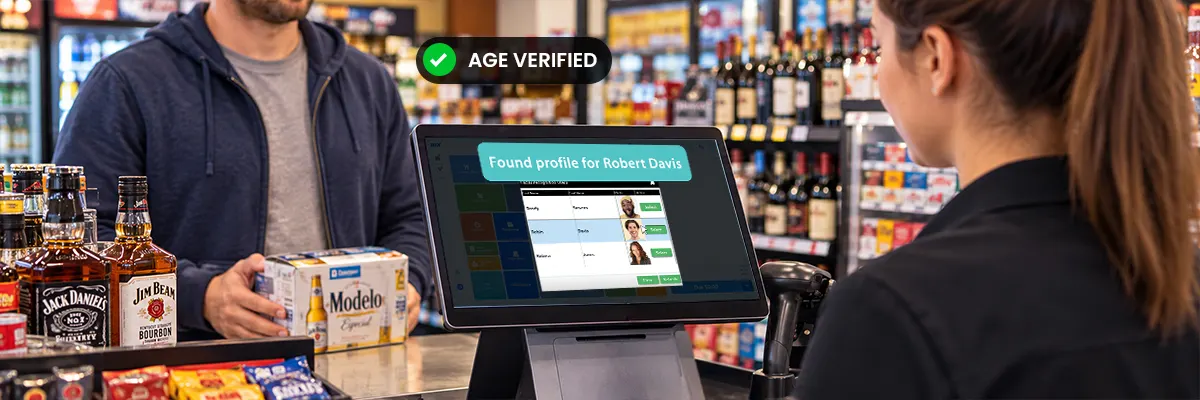
An ID scanner should fit into your existing checkout workflow—not create another system for employees to manage. Before choosing a solution, check whether it can integrate with your POS and other retail systems so verification information can move through the process smoothly.
3. Relying Only on Barcode or Date-of-Birth Data
A barcode can provide useful information from an ID, but simply reading the barcode or checking a customer’s date of birth doesn’t necessarily confirm that the ID is legitimate or that the person presenting it is the rightful holder. Look for a solution that can support broader identity and document verification when your business needs it.
4. Ignoring Privacy and Data Retention
ID verification involves sensitive customer information, so it’s important to understand what data a solution collects, how it’s protected, how long it’s retained, and who can access it. Review the provider’s privacy and data-handling practices before putting a system into use.
5. Choosing a Solution That Doesn’t Scale
A solution that works for one location may not be the right choice as your business grows. Consider whether the system can support multiple stores, centralized management, reporting, and additional verification channels if you eventually expand into ecommerce, pickup, or other sales channels.
6. Failing to Train Employees
Even the right technology won’t help much if employees aren’t comfortable using it. Give staff clear guidance on how to scan IDs, handle verification results, recognize when additional verification may be needed, and follow your store’s age verification policies consistently.
Conclusion
Gas stations and convenience stores have a unique age verification challenge: they may sell several categories of age-restricted products while processing a high volume of quick transactions.
When things move quickly, it can be tempting to focus on finding the fastest and easiest age verification scanner. But scanning an ID is only one part of the process.
The better question is, how well does the solution fit the way your store actually operates?
Look at the full verification process—from the initial ID check and POS integration to reverifying returning customers, reporting, privacy, and managing multiple locations. If your business also sells online, choosing a solution that supports both in-store and online verification can make it easier to keep the same process in place as your sales channels grow.
If you’re looking for an age verification solution built with convenience stores and gas stations in mind, FTx Identity can help you move beyond the basic ID scan and create a more connected verification experience.
ID checks are part of the job. They don’t have to be a hassle.
See how FTx Identity can help.